In the following article, we would like to introduce some free office application software with features comparable to Microsoft Office, while still allowing you to use them comfortably, especially since they are free.
1. WPS Office (Kingsotf Office suite free)
Kingsoft has officially renamed its Office Suite Free application to WPS Office. This version still includes three office applications: Writer , Spreadsheets , and Presentation , corresponding to MS Word, Excel, and PowerPoint in Microsoft Office, respectively. This application focuses primarily on individual and business users.
In addition to popular features like Microsoft Office (Write, Word, Excel, PowerPoint, etc.), it also has some new features to support users, namely:
- Check for spelling errors using British English.
- Completed the feature to switch spell checking between different components of Kingsoft Office.
Furthermore, Kingsoft Office 2013 fixes user-reported bugs and adds new features to meet their diverse needs. These include support for exporting to .xlsx and .xlsm formats from MS Office 2007, which not only addresses the MS Office 2003 format but also ensures better compatibility with all MS Office 2007 files.
2. OpenOffice
OpenOffice.org, or simply OpenOffice, is a free, open-source office suite built on Sun Microsystems' open-source StarOffice. OpenOffice can run on Windows (requires Java Runtime Environment), Solaris, and Linux operating systems. The latest version of OpenOffice allows for fairly complete reading and writing of MS Office file formats.

Here's another software option for you. Open Office is also free software with applications for word processing, spreadsheets, and presentations. Even better, Open Office adds a sidebar to replace the traditional toolbar, which is very suitable for today's widescreen monitors, and many other new features such as enhanced drag-and-drop functionality…
3. Libre Office
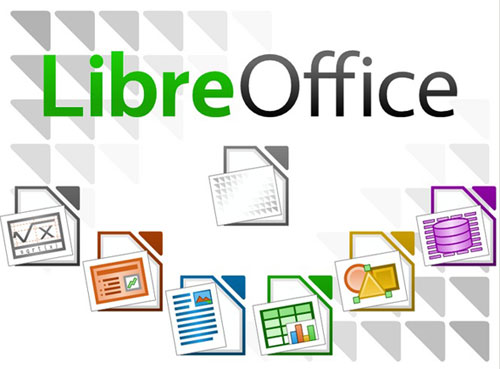
If you're a creative person who frequently gives presentations, consider Libre Office. You can handle everything related to text in this application: from deleting text to creating tables of contents, embedding illustrations, creating bibliographies, and generating charts. In addition, Libre Office supports features like auto-completion, auto-formatting , and auto-spelling . Furthermore, this word processing application simplifies complex tasks like creating newsletters and multi-column brochures. You can unleash your imagination and creativity.
Calc is a program specializing in handling numbers and assisting you when making choices. This application helps you analyze data for use in presenting work results. The charting and analysis tools in Calc increase the transparency of your work. In addition, the fully integrated support system makes entering complex formulas easier. At the same time, this software also supports importing data from external sources such as SQL or Oracle, then classifying and filtering the information, converting it into statistical evaluations. The graphing feature also provides 2D and 3D drawing tools with 13 different graph types including line, area, bar, pie, XY, net, etc.
Impress is the fastest and easiest multimedia presentation creation software. This application supports beautiful and unique animation effects, helping you make a strong impression on your audience.
4. Google Docs
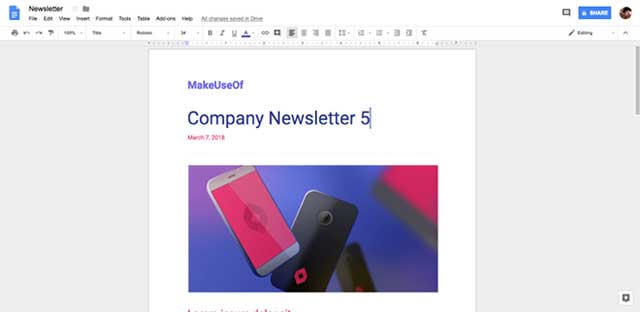
Google Docs is the most popular office suite in the world, second only to Microsoft Office. Many people might be confused because 'Google Docs' is also the name of its word processing application, which includes Google Docs, Google Sheets, and Google Slides.
Many people use Google Docs because it's simple, requires no installation, allows file sharing without the recipient needing to install anything, and has a very simple, intuitive interface.
It is also compatible with Microsoft Office, capable of importing DOCX, XLSX, and PPTX files, but cannot export them. Additionally, Google Docs supports speech-to-text conversion, but this feature is not yet fully developed.
Advantages of Google Docs:
- Provides up to 15 GB of free storage for Docs, Sheets, and Slides files.
- Use Track changes and document version history.
- Collaborate online in real time with up to 50 users simultaneously.
- Manage permissions and limit what users can do on a document.
- Offline editing automatically syncs as soon as you're online.
- It integrates with other Google services, including Gmail and Calendar.
- Use hundreds of free fonts from Google Web Fonts.
5. iWork for iCloud
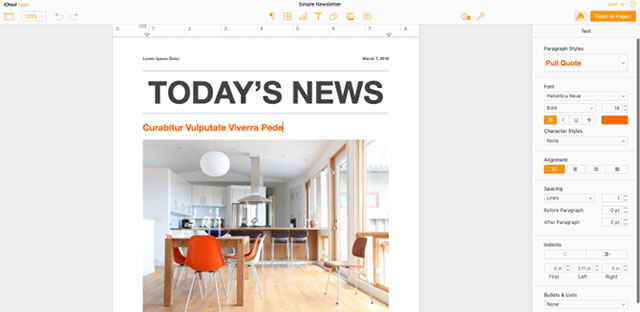
Although Apple's iWork suite typically costs $10 per application, you can use Pages, Numbers, and Keynote for free on the web by using iWork for iCloud.
iWork for iCloud is similar to the desktop version for Mac. It has a simple interface and is flexible enough to create any type of file a user needs, however, it lacks many customization options for the "workspace".
This would be a suitable choice if you're using iWork on a Mac because it's integrated and allows you to work on documents from anywhere. The only drawback is that it stores files on iCloud, which is one of the most popular cloud storage solutions. All you need is an Apple ID to use iWork for iCloud.
Advantages of iWork for iCloud:
- Up to 5GB of free storage on iCloud.
- The interface is beautiful, simple, and easy to navigate.
- Its integration with iWork for Mac makes it a top choice for Mac users.
- Export and import Microsoft Office files easily.
6. Zoho Office
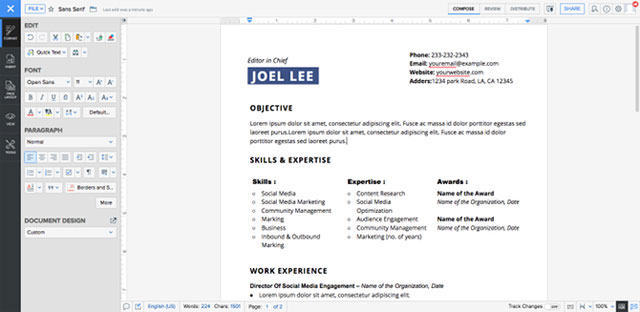
What users love about the Zoho Office suite is its interface. Zoho Office is the best suite for small teams with exciting features like real-time chat directly on documents, collaborative editing, digital signatures, quick document sharing, and much more. Zoho Writer has a unique feature: the ability to send documents directly to WordPress, making it an effective blogging tool.
Advantages of Zoho Office:
- Get up to 5 GB of free storage through Zoho Docs.
- There are up to 25 file version histories for each document.
- Import and export Microsoft Office files.
- Communicate in real time with collaborators.
- Two-factor authentication enhances security.
- Customize and expand documents, settings, and workspaces.