Professional and free photo editing software for iPhone will be a great help when you want to take beautiful photos and edit them to look stunning on your phone. With a range of free photo editing software and the excellent camera capabilities of the iPhone, you can create memorable photos and preserve beautiful memories in your life.
1. PhotoWonder for iOS
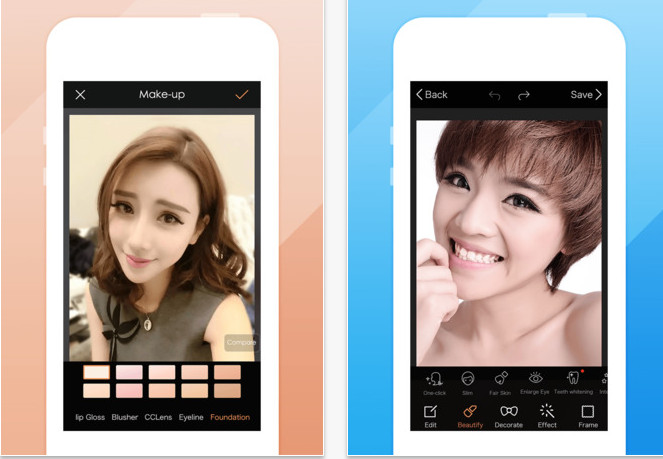
PhotoWonder for iOS is designed with an improved user interface, making photo editing easy with a library of effects to choose from. Additionally, after editing, you can share your creations on social media platforms like Facebook, Twitter, and more.
This app provides you with a wide variety of customizable filters and flexible features for adjusting brightness, contrast, and color, allowing you to create more artistic and creative photos.
Main features of the software
- Instant effect, capturing artistic moments anytime, anywhere.
- It supports a variety of image filters to help make your photos beautiful and unique.
- Easily adjust colors and rotate images.
- It helps with skin whitening, teeth whitening, acne removal, eye enlargement, and easy weight loss.
- It offers a large number of beautiful and realistic visual effects.
- We offer a variety of fun accessories and stickers for you to decorate your photos.
- A variety of frames are available, from simple to complex, to make your images more appealing.
- Supports 3 image collage modes: template collage, freehand collage, and image merging.
- Language support: English, Chinese, Indonesian, Japanese, Korean, Malaysian, Thai, Vietnamese.
2. Adobe Photoshop Express for iOS
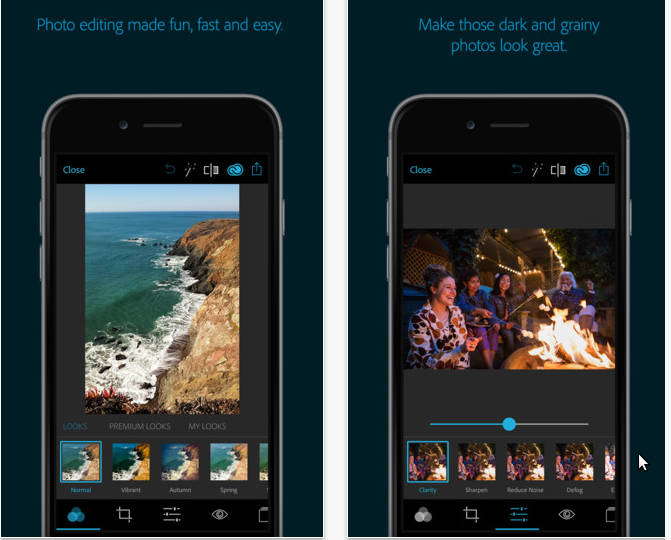
Adobe Photoshop Express for iOS provides users of iPhone, iPad, or iPod Touch devices with a professional, multi-functional, and completely free photo editing tool.
With simple touch gestures on the iOS device's touchscreen, users can create stunning photos by adjusting sliders, or using one-touch automatic photo editing features and a variety of unique photo filters.
Print your favorite photos at Walgreens or share them with friends and family via Facebook, text message, or email as attachments.
Main features of the software
- Basic photo editing: cropping, straightening, rotating, and flipping images.
- Automatic photo editing: Use one-touch photo editing to adjust contrast, exposure, and white balance.
- Color: Control sliders to customize clarity, contrast, exposure, highlighting, shadows, color temperature, hue, and balance.
- One-touch photo filters: choose from over 20 stunning photo effects.
- Photo Borders: Add unique personal style to your photos with 15 borders and frames. Express your personality through creative works.
- Add the Looks Paid package to create fun, fresh photos with 20 one-touch photo filters.
- Add the Paid Noise Reduction package to minimize unwanted noise and glare in night photos.
- The new image display mechanism improves application performance and allows for better control over large images, such as panoramic shots.
- Print photos from Walgreens' internal app.
- Share photos instantly on social media platforms like Facebook, Twitter, Tumblr, and many others.
- One place for all your photos: upload your photos to Revel to view, post, and share albums on your iPhone, iPad, iPod Touch, and Mac.
3. Camera360 Ultimate for iOS
Camera360 Ultimate is one of the most popular and beloved photo editing and effects apps on the iOS platform. Its user-friendly interface will help you take amazing photos, capturing your images in an attractive, interesting, and humorous way.
Camera 360 Ultimate can be used as a replacement for the default camera app on your iOS device, allowing users to take regular photos directly from the camera. In addition, this app offers many options to create unique and fun effects for your photos.
Main features of the software
- A completely new user interface: shoot photos freely your way, design the shooting technique accordingly.
- Focus and photometry by sliding your finger.
- Automatically removes red eyes.
- Continuous shooting: its speed will reach up to 180 images per minute, capturing every amazing moment.
- The photo collage function makes your images truly come alive.
- Easy to share: directly share your photos to Flickr, Facebook, and Sina Weibo.
- Supported languages: English, Simplified Chinese, Thai, Traditional Chinese.
- Optimize photo editing and collage creation functions.
- Faster installation with a compact application package.
4. Instagram for iOS
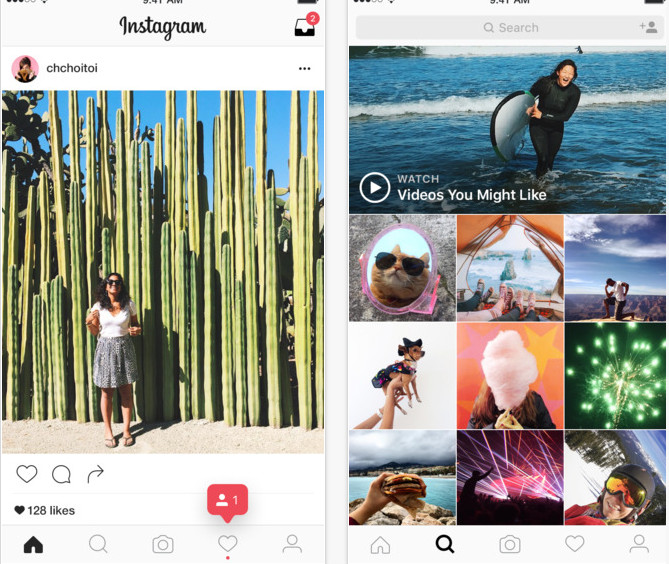
Instagram is a free, simple, and fun app for organizing and sharing photos on iPhone. The official Instagram app allows users to combine photos in various frames, create mirror reflection effects, and layer photos. The software has an easy-to-use interface, is user-friendly, and is ad-free.
Share photos easily with everyone – and admire your friends' photos with just a click. Every time you open Instagram, you'll see new photos from people and friends all over the world.
Main features of the software
- We offer 100% free, custom-designed photo filters: including XPro-II, Earlybird, Rise, Amaro, Hudson, Lo-fi, Sutro, Toaster, Brannan, Inkwell, Walden, Hefe, Nashville, 1977, and many more options.
- Supports video recording with the stability of captivating cinematic style.
- It offers translational blur and lens tilt effects—shifting radially to create depth of field.
- Supports instant sharing of photos and videos to popular social networks such as Facebook, Twitter, Flickr, Tumblr, and Foursquare.
- Allows unlimited uploads.
- It facilitates interaction with friends by sending and receiving "likes" or comments.
- Provides full support for both the front and rear cameras of the iPhone 4.
- Many other exciting features await users to discover.
- The app is optimized for iPhone 5.
- Allows you to take photos or record videos using the Instagram camera while the screen is rotated horizontally.
- Supports taking photos using the device's front-facing secondary camera.
- Numerous general improvements and bug fixes from the previous version.
- Adding video sharing features to Instagram provides users with a new way to share their stories through short videos.
5. FotoRus for iOS
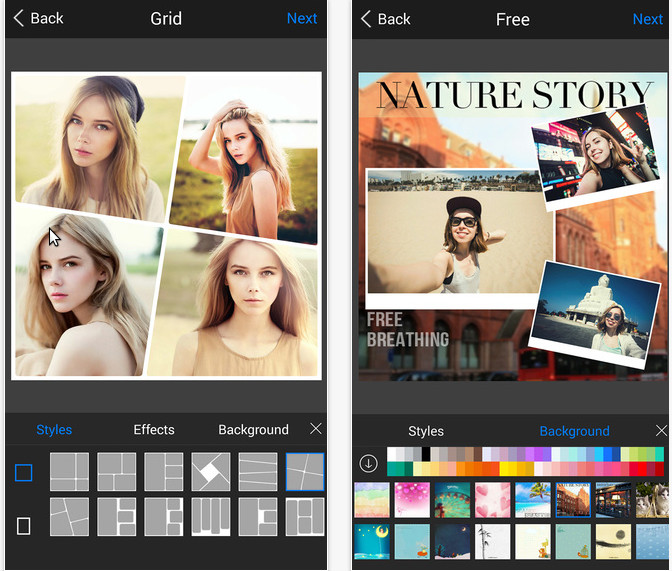
FotoRus for iOS is a multi-functional photo collage and editing app for iPhone/iPad.
Main features of the software
- The online library provides unlimited access to special photo effects.
- A wide variety of photo filters.
- Photo collage effect.
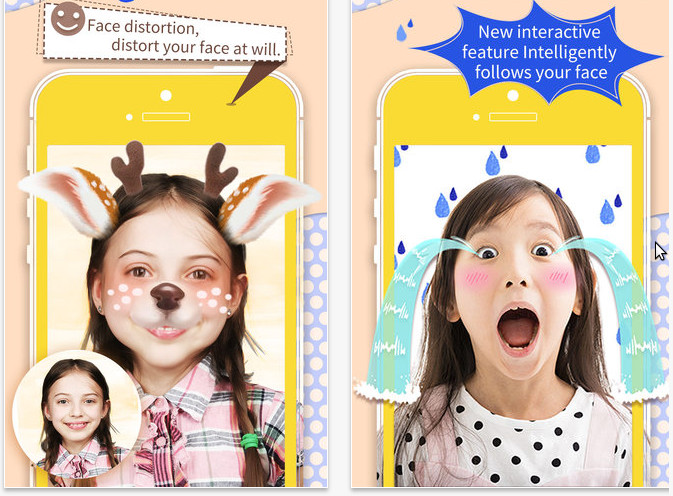
- Animated effects: rain, snow, darkness.
- Photo frames for creating GIFs.
- Rich image borders.
- Discover the Lightpen effect and unique skins.
- Allows users to provide feedback directly within the app.
- Turn the circular collage creation mode on or off.
- Allows you to apply multiple effects to the same image.
- Discover the 4:3 aspect ratio for freehand collages.
- Allows you to create square photo collages with over 100 stunning photo frames.
- Create strip collages with many new styles for stretched photos.
6. Perfect365 for iOS
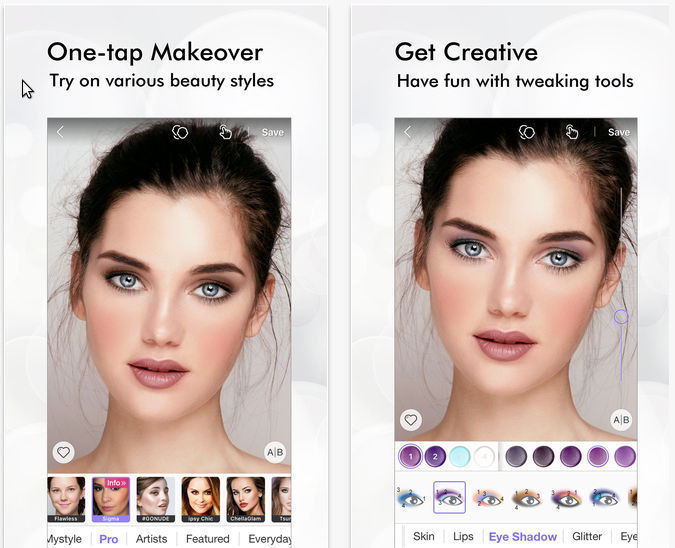
Perfect365 for iOS provides users of iPhone, iPad, or iPod Touch devices with a high-quality, multi-functional, and completely free portrait photo editing program.
Perfect365 for iOS uses a simple one-touch operation to transform your entire portrait photo, giving you the perfect selfie down to the smallest detail!
Perfect365 for iOS is one of the best makeup and photo editing apps on the App Store, which is why around 30 million users worldwide have trusted and chosen this program!
With just a single touch on the touchscreen of their smartphone or iDevice, Perfect365 for iOS users can apply makeup, edit photos, and comprehensively enhance the quality of their portraits. This is also the best way to find the makeup style that suits you best!
Main features of the software
- Edit photos anytime, anywhere.
- Choose a style and perfect the photo.
- Diverse customization options
- Advanced facial recognition technology
- Share beautiful photos with your friends.
7. LINE camera for iOS
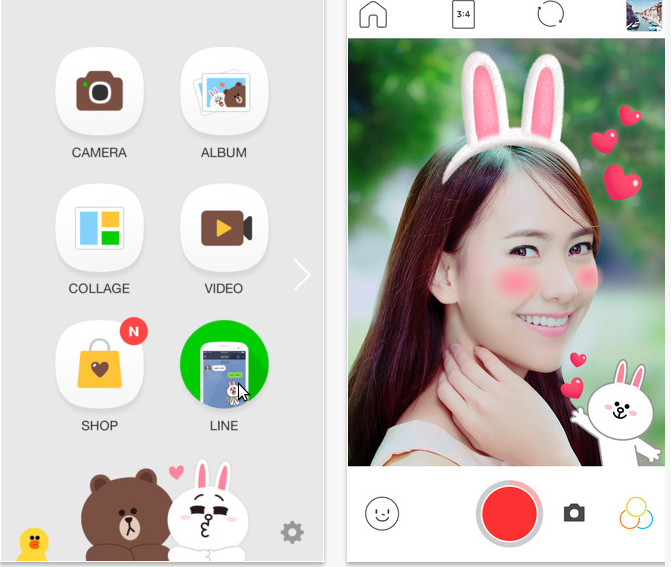
LINE Camera is a useful app that allows users to create fun photos to share with friends. With this app, you can easily decorate your favorite photos right on your iPhone or iPad. Additionally, Android users can download LINE Camera for Android.
Main features of the software
- Many cute and fashionable filters: Use the app to take photos and customize them with special filters, or adjust brightness, contrast, and saturation.
- Many different frames and stamps are available: Decorate your photos with over 100 different frames and 1000 amazing stamps. The stamps often feature symbols like hearts, stars, flowers, jewelry, fruits, drinks, characters, animals, wigs, glasses, ribbons, and more.
- Text types that can be used as stamps: Design and use your own unique stamps with illustrations and added captions.
- Share images easily: You can use LINE, Facebook, and other SNS services to share your photos.
8. Snapseed for iOS
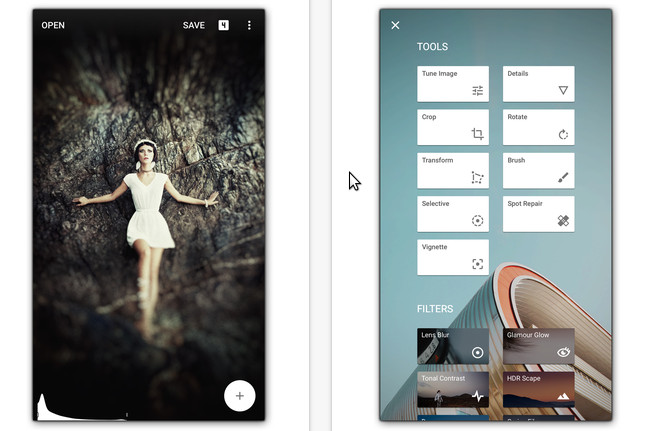
Snapseed for iOS is a professional photo editing and sharing app, available completely free for iPhone, iPad, and iPod Touch devices.
Snapseed for iOS was rated the best mobile photo app of 2012 (TIPA) and iPad app of the year.
The software's interface is very intuitive and easy to use with touch controls and high precision. Users can crop images, resize them, adjust color tones, create color filters, or apply special effects such as Tilt-Shift.
The integrated Google+ feature makes Snapseed for iOS even more powerful, allowing users to easily share photos with family and friends.
9. Photosynth for iOS
Photosynth for iOS is a completely free panoramic photo app for iPhone, iPad, or iPod Touch devices.
Photosynth for iOS is a creative panoramic photo app that helps users quickly and enjoyably capture and share interactive panoramas of landscapes, places, people, or events that are important to them.
Using the latest computer imaging technologies, Photosynth for iOS users can create panoramic images not only from left to right, but also with top and bottom transitions, allowing for the capture of a complete sphere.
Main features of the software
- View the panoramic image you captured using the interactive photo-taking feature in a three-dimensional format.
- View and capture images from any direction with global panoramic mode.
- View the final completed panorama image with the device's fast image processing mode.
- The final image is displayed sharply and seamlessly thanks to advanced image processing technology.
- Allows you to zoom in on images, drag and rotate panoramas in any direction with the advanced image viewer feature.
- Share your perspective with the world through the Photosynth community.
- Search and explore panoramic images from the Photosynth community to experience new and unique interactive photos.
- Like, share, and comment on the creative work of other photographers around the world.
- Build a personalized news feed by following your favorite content creators or trending topics.
- Access your personalized news feed directly by navigating from user-recommended tags and suggestions on Photosynth.
- Receive notifications when your panoramic photos are marked as favorites or commented on, when you're followed, or when Photosynth suggests one of your creations.
- Connect to Ricoh Theta for quick 360-degree panoramic photo capture.
- Share interactive photos or panoramas on social media platforms like Facebook or Twitter.
- Share via email to send panoramic photos directly to friends and family.
- Your panoramic photos will be accessible in any app from your device's Camera Roll.
- Search and explore panoramic photos from the Photosynth community to discover modern, fresh-looking images.
- Comment on, rate, and share other people's work.
10. Panorama Free for iOS
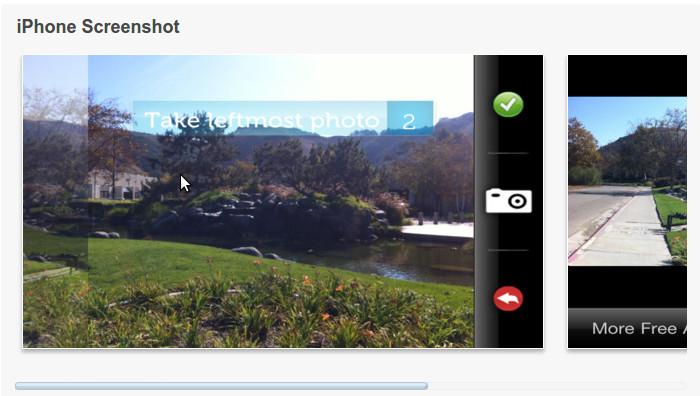
Panorama Free for iOS provides users of iPhone, iPad, or iPod Touch devices with a professional, beautiful, and completely free panoramic photography app.
Free The Apps has brought you an amazing panoramic photography tool with Panorama Free for iOS! Now you can capture stunning panoramic shots with your iPhone camera. This simple and easy-to-use photo app allows you to take professional-quality panoramas from any scene.
All you need to do is take a shot of your favorite panoramic scene and let Panorama Free for iOS's blending technology do the rest. In just seconds, you'll have an impressive and professional-looking panoramic photo, just like a real photographer. This tool is the perfect choice for anyone who wants to make the most of their smartphone and iDevice camera.
Main features of the software
- Capture panoramic photos with simple shots.
- Automatically blends multiple shots together to create a panoramic image.
- Save and share photos with friends and family.
- Simple and easy to use.
11. VSCO Cam for iOS
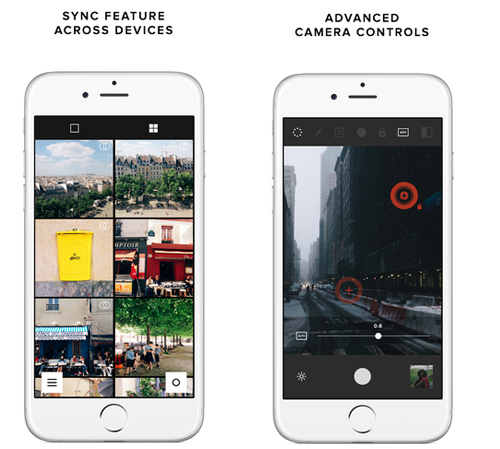
The VSCO Cam app is developed by Visual Supply, the company that develops the best film filters for Adobe Lightroom photo editing software. This is also why the filters offered by this app are so popular. VSCO Cam can be used as a replacement for a regular camera app, allowing you to adjust tilt, focus, lock exposure, and more.
VSCO Camera also offers features that make it easy for users to upload images to social networks, such as Google+.
12. Photo Editor by Aviary – Android, iOS, Windows Phone
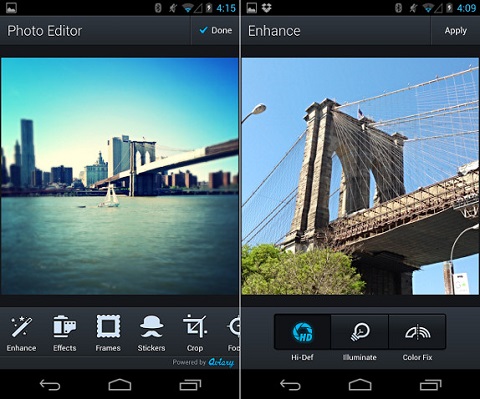
Photo Editor by Aviary is known as the photo editing tool with the simplest interface but its power is second to none. Adjusting color, contrast, sharpness. all are done via sliders that users can drag until they achieve the most satisfying result.
In addition, the One Touch Enhance feature automatically adjusts parameters. Besides the built-in features, Photo Editor by Aviary also offers many other more advanced tools, which require in-app payment, but rest assured you will never be disappointed with what the app has to offer.
13. Afterlight
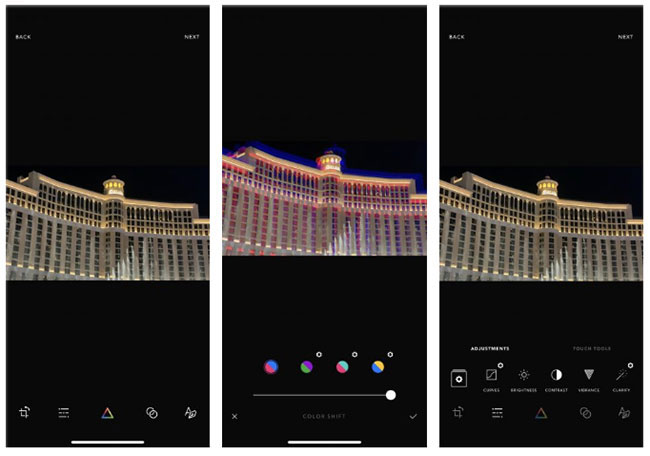
If you're looking for an all-in-one photo editing app with a wide range of tools, then Afterlight might be the right choice.
You can start editing with advanced tools, then add unique touches with filters, textures and overlays, frames, borders, or fonts. This app also supports RAW images.
By subscribing, you can take advantage of the entire library of 130 unique filters, 20 Dust effect overlays (old film-style dust and scratches), and the ability to adjust touch tools to edit photos with simple on-screen gestures.
14. Darkroom
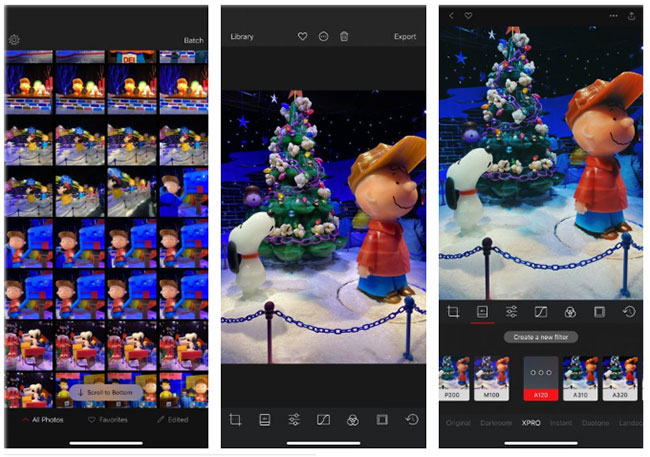
You don't need to worry about searching for the images you need to edit when using Darkroom. Your entire photo library is ready for immediate access (although organizing photos on your iPhone is still a good idea).
This app provides excellent tools for editing all types of images, including Live Photos, Portrait mode photos, and RAW images. You can even create custom filters from scratch or use one of the built-in options.
Using batch processing, you can easily apply edits and filters to several photos at once.
15. Enlight Fotofox
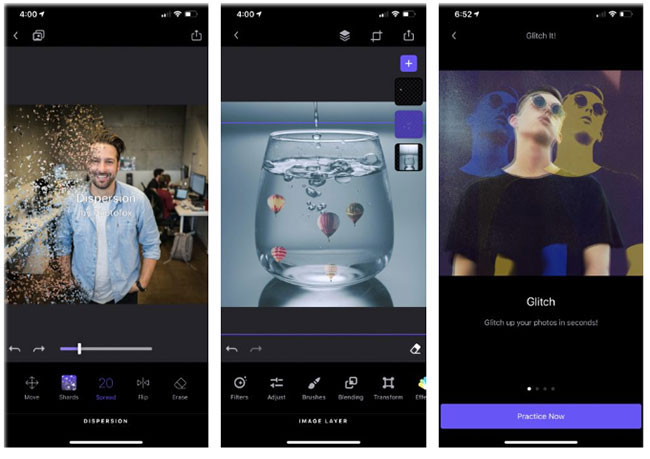
Enlight Photofox does more than just help you edit images. You can transform any photo into a work of art with just a few taps, using options from the QuickArt or Readymades sections.
For more advanced editing features, the app provides tutorials introducing other concepts, such as Glitch Art (a visual style characterized by the use of digital glitches or similar elements for aesthetic purposes).
16. Prisma
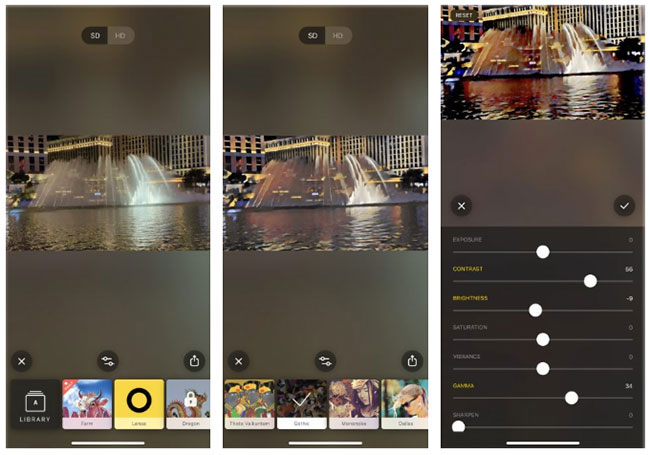
Prisma is an application unlike any other. When you load an image into Prisma, it's sent to a server where it's transformed into a specific artistic style. These styles are modeled after great artists like Picasso and Matisse, comic art, or futuristic styles.
You can adjust the intensity of the filter. Some filters create images that truly look like computer-generated artwork; while others transform the image into something novel and amazing.
17. Lens Distortions
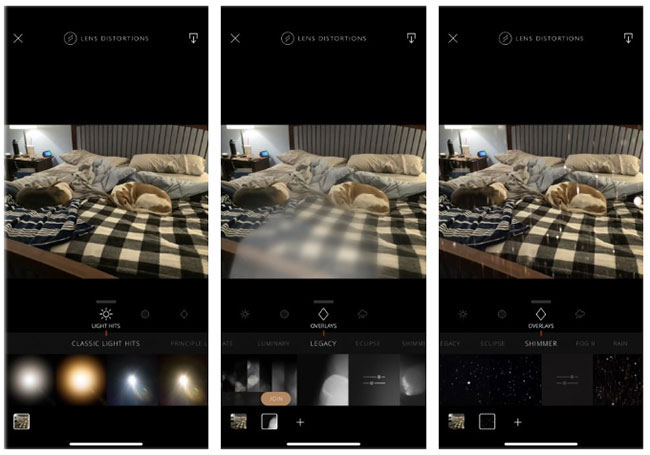
This application simulates weather and lighting effects. It also includes some basic photo editing tools and uses layers to combine effects.
You can adjust the intensity, position, and scale of the effects to your liking. This is a great way to achieve a vintage feel with any image already on your iPhone.
To unlock more effects and filters, subscribe to a paid subscription.
18. Polarr Photo Editor
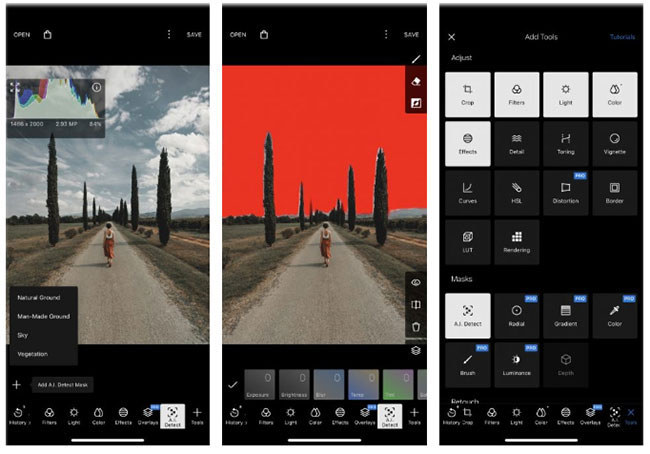
Polarr Photo Editor utilizes a lot of AI and other tools, such as face recognition, to make image editing easier. The face recognition feature automatically selects a face and allows you to fine-tune various aspects, such as skin tone and other facial features. AI-powered detection can also isolate features in a photo, such as the sky, making it easier to edit different parts of the image.
Thanks to over 10 blending modes, you can layer images and add effects like clouds, light leaks, etc. You'll also find a range of other editing tools for photographers of all levels.
- New species discovered in Antarctica beneath 1000 meters of ice.
- Syndrome causing prolonged erection
- Fabrics woven from stone are resistant to swords and knives and can withstand temperatures of 400 degrees Celsius.